View Modes and Image Orientation
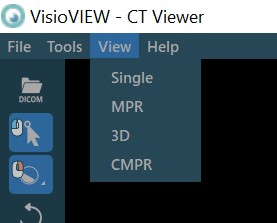
The VisioVIEW CT Viewer offers four different viewing modes. Users can freely switch between any of the available views by choosing the appropriate icon from the view switch options in the left toolbar or via the View menu from the
top toolbar of the Viewer.
Slicer orientation and position, as well as the measurements are always kept on the images regardless of the active view.
The available options for each view are represented at the bottom panel area of the CT Viewer. The default option is MPR, and it can easily be modified in the settings.

Simple View

The Simple View provides a basic 2D representation of the image in the axial plane, similar to the one offered by the regular VisioVIEW Viewer.
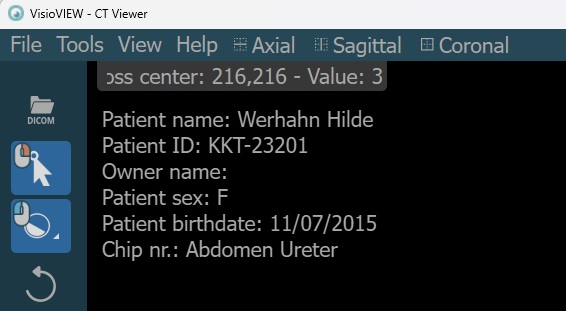
When the Simple View is active, the top toolbar of the Viewer shows three additional options to switch the active plane in the viewport. Simply press on one of the three available options (Axial, Sagittal, or Coronal) and the plane will be automatically switched.
MPR View

MPR (Multiplanar Reconstruction) View offers simultaneous viewing of the volumetric data from the three available planes (Axial, Coronal, and Sagittal), allowing physicians to have a more detailed and thorough view of the DICOM files.
MPR + 3D View

In addition to the three available views offered by the MPR, this option displays a virtual 3D model of the volumetric data as the main view. The 3D model allows users to interact with the data in a much more intuituve way from different perspectives.
Curved MPR View

Curved MPR is a variation of the default MPR where cross-sectional images are generated along a user-drawn curved path rather than a straight line. Curved MPR can be especially useful for creating images of complex or irregular structures, such as blood vessels or various spinal structures.